Written By

Sonju Ghosh
Growth Lead
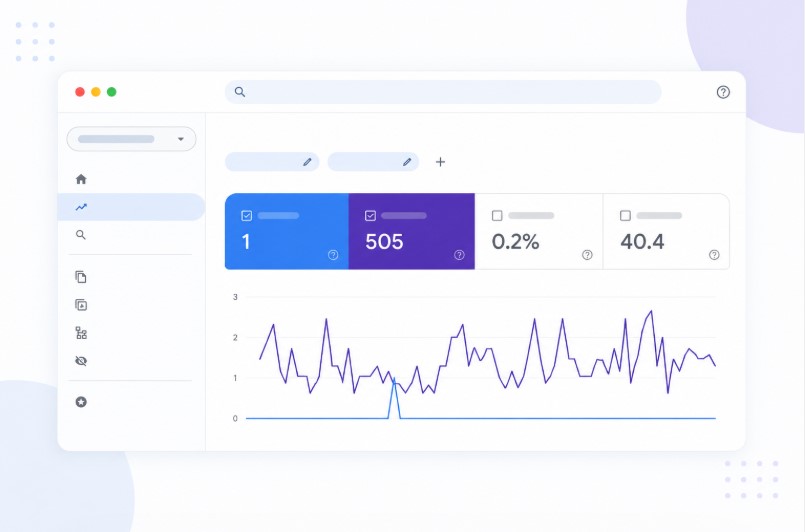
In today's competitive digital landscape, simply publishing content is not enough ? you need accurate data to understand what's working and what's not. This is where Google Search Console (GSC) becomes an essential tool for every website owner, blogger, SaaS founder, or digital marketer. It provides direct insights from Google about how your website performs in search results, making it one of the most reliable SEO tools available.
With Google Search Console, you can monitor how users discover your website, which keywords bring traffic, how often your pages appear in search results, and whether there are any technical issues preventing your content from ranking. Unlike third-party SEO tools that rely on estimates, GSC provides real data directly from Google's index. By consistently analyzing this data, you can improve your rankings, increase organic traffic, and make smarter, data-driven SEO decisions.
💡Is link equity leaking from your best pages? Dofollo finds it free — no credit card, no setup time.
Start Free AuditWhat is Google Search Console?
Google Search Console is a free web service offered by Google that allows website owners to monitor, maintain, and troubleshoot their site's presence in Google Search results. It acts as a bridge between your website and Google, helping you understand how search engines view your content.
Key Features of GSC
Google Search Console comes packed with powerful features that help you optimize your SEO strategy effectively. One of its core features is performance tracking, where you can analyze clicks, impressions, CTR, and keyword rankings. It also provides index coverage reports, which help you identify pages that are indexed or facing issues.
Additionally, you can submit your XML sitemap to ensure better crawling, monitor Core Web Vitals for user experience improvements, and receive alerts for manual actions or penalties. GSC works as a complete SEO monitoring system that gives you actionable insights rather than just raw data.
Key SEO Metrics You Can Track in Google Search Console
Understanding SEO metrics is the foundation of improving your website's search performance. Google Search Console provides several important metrics that help you evaluate both visibility and user engagement.
Clicks
Clicks represent the number of times users click on your website from Google search results. This metric directly reflects how effective your titles and meta descriptions are in attracting users. A high number of clicks indicates that your content is relevant and appealing to searchers.
Impressions
Impressions show how many times your website appears in search results, even if users do not click on it. If your impressions are high but clicks are low, it usually means your content is visible but not compelling enough to attract users ? a strong signal that you need to improve your titles and meta descriptions.
Click-Through Rate (CTR)
CTR is calculated as: Clicks ? Impressions ? 100. This metric helps you understand how effective your search listing is. A low CTR despite high impressions indicates poor optimization, while a high CTR suggests that your content matches user intent well.
Average Position
Average position shows where your website ranks for specific keywords in search results. Lower numbers mean better rankings ? position 1 is the top result. Monitoring this metric helps you identify keywords that are close to ranking higher and can be optimized further.
How to Set Up Google Search Console
Setting up Google Search Console is a straightforward process, but it is crucial for ensuring accurate data tracking and proper website indexing.
Step 1: Add Your Website
Visit Google Search Console and add your website by entering your domain. It is recommended to use the Domain Property option, as it tracks all versions of your site (http, https, www, non-www) in one place.
Step 2: Verify Ownership
To prove that you own the website, complete the verification process. The most recommended method is DNS verification, as it provides full access and is more secure. Alternatively, you can use HTML file upload or meta tag verification.
Step 3: Submit Sitemap
After verification, go to the "Sitemaps" section and submit your XML sitemap (e.g., /sitemap.xml). This step helps Google crawl and index your website more efficiently, ensuring that all important pages are discovered.
How to Use the Performance Report
The Performance report is the heart of Google Search Console, providing detailed insights into how your website performs in search results.
Analyze Keywords (Queries)
This section shows the keywords that bring traffic to your website. By analyzing this data, you can identify high-performing keywords as well as opportunities for improvement. Keywords with high impressions but low clicks are ideal targets for optimization.
Analyze Pages
The pages tab allows you to see which pages generate the most traffic. This helps you identify your top-performing content and replicate its success. You can also find underperforming pages and update them with better content, keywords, and internal links.
Filter by Country and Device
Google Search Console allows you to filter data by country and device type. This helps you understand where your audience is coming from and how they access your website. If most users are on mobile, optimizing your site for mobile performance becomes a priority.
Tracking Indexing and Coverage Issues
Proper indexing is essential for SEO success ? if your pages are not indexed, they cannot appear in search results.
Page Indexing Report
The Page Indexing report shows which pages are indexed and which are excluded. It provides detailed reasons for indexing issues, helping you take corrective actions quickly.
Common Issues
Some of the most common indexing issues include "crawled but not indexed," duplicate content, and 404 errors. These issues can negatively impact your visibility and rankings if not resolved. Regularly monitoring and fixing these problems ensures that your website remains healthy and optimized.
Monitoring Core Web Vitals
Core Web Vitals are a set of essential performance metrics defined by Google to evaluate the overall user experience of a website. These metrics focus on how fast your page loads, how stable it appears while loading, and how quickly it responds to user interactions. Since Google uses Core Web Vitals as ranking signals, optimizing them is crucial for improving both SEO performance and user satisfaction.
Largest Contentful Paint (LCP)
LCP tracks how long it takes for the largest visible element on a webpage to fully load. Ideally, this should happen within 2.5 seconds. To improve LCP, optimize images, use faster hosting, enable caching, and reduce render-blocking resources like heavy JavaScript and CSS.
Cumulative Layout Shift (CLS)
CLS measures how much the layout of your page shifts unexpectedly while loading. A good CLS score is less than 0.1. You can improve CLS by setting proper dimensions for images and ads, avoiding dynamic content shifts, and ensuring fonts load smoothly.
Interaction to Next Paint (INP)
INP evaluates how quickly your website responds when a user interacts with it, such as clicking a button or typing in a form. To optimize INP, focus on reducing JavaScript execution time, minimizing heavy scripts, and improving overall page interactivity.
Using GSC for Internal Linking Optimization
Google Search Console can also help you improve your internal linking strategy. By identifying pages with high impressions but low clicks, you can strategically link them from high-authority pages within your website.
Internal linking helps distribute link equity, improves crawlability, and guides users to important content. When combined with tools like Dofollo.ai, this process can be automated and scaled, making your SEO strategy more efficient and effective.
Advanced Tips to Improve SEO Performance
Improving SEO performance goes beyond basic optimization ? it requires continuous analysis, strategic updates, and a deep understanding of user behavior. These advanced strategies help you move beyond just ranking and toward maximizing visibility, engagement, and conversions.
Find Low CTR Keywords
In GSC, you'll often find keywords that generate high impressions but have a low click-through rate. These present a strong opportunity for quick wins. Improve CTR by optimizing your title tags to be more engaging, adding power words, and making your meta descriptions more compelling. Using structured data to enable rich snippets can also help your listing stand out.
Update Old Content
Refreshing outdated content is one of the most effective ways to boost SEO performance. Use GSC to identify pages that have lost traffic or rankings over time. Enhance these pages by adding updated statistics, recent examples, new insights, and improved formatting. Also revisit your internal linking strategy to connect updated content with other relevant pages.
Target Position 5?15 Keywords
Keywords ranking between positions 5 and 15 are "low-hanging fruit." With a bit of optimization, they can move to the top positions. Focus on improving content depth, adding semantically related keywords, and refining your heading structure. Building quality backlinks and improving page experience can significantly increase your chances of reaching the first page.
Monitor Mobile Performance
With the majority of users browsing on mobile devices, ensuring your website is fully optimized for mobile is essential. GSC's Mobile Usability report helps identify issues such as text being too small or elements being too close together. Fixing these issues improves user experience, reduces bounce rates, and has a direct positive impact on your search rankings.
Common Mistakes to Avoid
One of the most critical mistakes is ignoring indexing issues. If your pages are not properly indexed, they simply won't appear in search results ? no matter how well-optimized your content is. Failing to monitor and fix errors like "Crawled ? currently not indexed" can result in a significant loss of organic traffic.
Another major mistake is not submitting or maintaining an XML sitemap. Without it, important pages might be overlooked, especially on larger or newly launched websites. Regularly updating and resubmitting your sitemap ensures search engines are always aware of your latest content.
Many website owners also focus only on keyword rankings while ignoring CTR. Ranking high is important, but if users are not clicking your result, you're missing out on traffic. Poorly written titles and meta descriptions are the most common cause of low CTR.
Lastly, misinterpreting SEO data can lead to poor decision-making. Avoid overanalyzing small fluctuations or ignoring important trends. Make decisions based on long-term patterns rather than short-term changes.
Conclusion
Tracking SEO performance using Google Search Console is not just an option ? it is a necessity for anyone serious about growing their online presence. It provides accurate, real-time data that helps you understand how your website performs in search results and where improvements are needed.
By consistently analyzing key metrics like clicks, impressions, CTR, and average position, you can make informed decisions that improve your rankings and drive more organic traffic. When combined with strong internal linking strategies and regular content updates, Google Search Console becomes a powerful tool for achieving long-term SEO success.
About The Author