Written By
sonju-ghosh
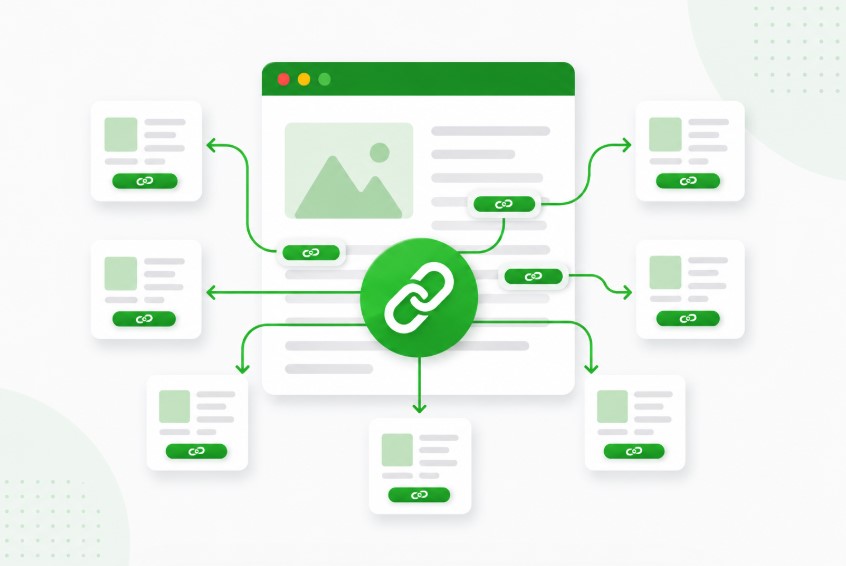
Internal linking is one of the most underestimated levers in technical SEO - and one of the most frequently misused. Ask ten SEO professionals how many internal links per page is ideal, and you'll get ten different answers. The truth? There is no universal magic number. But there is a framework that separates high-performing sites from those leaking link equity and confusing both users and crawlers.
This guide breaks down everything you need to know in 2026 - from Google's official guidance to actionable best practices, common mistakes, and how to audit your own site effectively.
💡Is link equity leaking from your best pages? Dofollo finds it free — no credit card, no setup time.
Start Free AuditWhat Are Internal Links in SEO?
Definition of Internal Links
An internal link is a hyperlink that connects one page on your website to another page on the same domain. Unlike external links - which point to third-party websites - internal links keep users and search engine crawlers within your own ecosystem. They are a fundamental building block of site architecture and content strategy.
Internal links come in several forms: navigation menus, sidebar widgets, footer links, breadcrumb trails, and - most importantly for SEO - contextual links embedded naturally within the body of your content.
Why Internal Linking Matters for Rankings
Google uses internal links to do two things simultaneously: crawl your site structure and understand the thematic relationships between your pages. When Googlebot visits your homepage, it follows internal links to discover other pages. The more efficiently those links are arranged, the more thoroughly your site gets indexed.
Beyond discovery, internal links transfer what SEOs call link equity (or "PageRank"). Pages that attract many quality backlinks accumulate authority, and internal links distribute that authority to deeper, less-linked pages - amplifying the reach of your external link profile.
Internal linking is the connective tissue of your website. Done right, it tells Google exactly which pages matter most - and it keeps your readers exploring longer.
Internal Links vs External Links
AttributeInternal LinksExternal LinksDestinationSame domainDifferent domainPrimary SEO RoleCrawlability, equity flowAuthority signalsControlFull controlEarned or purchasedVolumeScalableLimited by outreachRiskOver-optimizationToxic links, penaltiesUX ImpactNavigation, engagementExits site
Why the Number of Internal Links Per Page Matters
Impact on Crawlability and Indexing
Search engine crawlers have a finite crawl budget - the number of URLs Googlebot will crawl on your site within a given time period. Internal links directly influence which pages get crawled and how often. A page buried six clicks deep from your homepage is far less likely to be crawled regularly than one linked from your top navigation or from a high-traffic pillar post.
If you have too few internal links pointing to important pages, Googlebot may discover them rarely - or not at all. Conversely, a page overloaded with hundreds of links dilutes the crawl signal and can look spammy, prompting Googlebot to treat those links with lower priority.
How Internal Links Distribute Link Equity
The PageRank algorithm - still at the heart of Google's ranking system - works like a flow of water through a pipe network. Every page starts with a certain amount of equity (based on its inbound backlinks), and each internal link it makes passes a portion of that equity downstream. The more outgoing links a page has, the smaller the share each receiving page gets.
This is why strategic internal linking matters. A page with 200 internal links pointing out passes far less equity per link than one with only 10 targeted links. Fewer, more intentional links concentrate equity on your highest-priority pages.
User Experience and Navigation Benefits
Beyond SEO mechanics, internal links directly shape how users move through your site. Well-placed contextual links reduce bounce rate by offering readers a natural next step. They increase pages per session, deepen engagement with your content, and can guide users toward conversion pages - contact forms, product pages, booking flows - with surgical precision.
Sites that neglect internal linking often see users dead-ending on informational content with nowhere obvious to go next. That's a missed opportunity both for UX and for revenue.
How Many Internal Links Per Page is Ideal?
Is There a Fixed Limit by Google?
No. Google does not publish a specific maximum number of internal links per page. In the early days of SEO, a guideline of "keep it under 100 links per page" circulated widely - stemming from a line in Google's original technical documentation. That guidance has since been updated and is no longer treated as a hard rule.
Google's John Mueller has confirmed multiple times that there is no strict numerical limit. What matters is that links are useful to users and are not artificially inflated to manipulate crawl behavior.
Google evaluates internal links qualitatively - relevance, context, and user value - not just quantitatively. Spammy or excessive linking that serves no user purpose can be interpreted as a manipulative signal, even if no hard cap is exceeded.
Recommended Internal Link Range (Best Practices)
While there's no fixed rule, SEO professionals in 2026 broadly agree on a pragmatic framework based on content length and page type:
Content LengthRecommended LinksContextUnder 500 words1-3 linksLight - FAQs, landing pages500-1,500 words3-8 linksModerate - Blog posts, guides1,500-3,000 words8-15 linksComprehensive - Pillar content3,000+ words15-30 linksDense - Hub pages, topic clustersCategory / Nav pages30-100+ linksArchitecture - Contextual rules differ
Factors That Influence Link Count (Content Length, Authority, Intent)
No single formula applies universally. The right number of internal links depends on several intersecting variables:
- Content length: Longer content naturally accommodates more links without appearing unnatural. A 5,000-word comprehensive guide can carry 20-30 contextual links without feeling forced.
- Page authority: High-authority pages (heavily backlinked) are valuable equity sources. Be especially intentional about where these pages link - every outgoing link from an authority page is meaningful.
- Search intent: Informational content (how-to guides, comparisons) supports more links. Transactional pages (product pages, checkout) should minimize distracting links to keep users focused on conversion.
- Site size: Large e-commerce sites with thousands of pages naturally need more aggressive internal linking to ensure deep pages get crawled. Small blogs can operate with lighter link profiles.
- Topic cluster structure: If you're building pillar-and-cluster content architecture, your pillar page should link to all cluster posts, which in turn link back - creating a web of contextual authority signals.
Google Guidelines and Internal Linking Limits
What Google Says About Internal Links
Google's Search Central documentation emphasizes that internal links should help users navigate your site and that your site structure should logically reflect the hierarchy of your content. Google recommends building a natural link hierarchy - with your most important pages no more than a few clicks from the homepage.
Google also stresses that link text (anchor text) should be descriptive and relevant to the destination page. Vague anchor text like "click here" or "read more" provides no topical context to crawlers and misses a key on-page SEO opportunity.
Understanding Crawl Budget and Link Depth
Crawl budget is a concern primarily for large sites - those with tens of thousands of pages, frequent content updates, or complex URL structures. For small to medium sites (under 10,000 pages), crawl budget is rarely a limiting factor; Google will typically crawl the entire site.
What matters universally is link depth: the number of clicks required to reach a page from your homepage. Industry research consistently shows that pages within three clicks of the homepage receive significantly more organic traffic than pages buried deeper. Internal linking is your primary tool for reducing link depth on important pages.
No important page should be more than three clicks away from your homepage. If key content is buried deeper, a strategic internal link from a high-traffic page can immediately improve its crawl frequency and rankings.
Avoiding Over-Optimization and Spam Signals
Google's spam policies include guidance on link schemes, which can apply to internal linking when it becomes manipulative. Signs that your internal linking may be over-optimized include: excessive exact-match anchor text on every instance of a keyword, hundreds of links on a single thin page, automated link injection without editorial oversight, and reciprocal linking loops between pages that don't naturally relate to each other.
The safest approach: let editorial judgment drive your internal linking decisions. If a link genuinely helps a reader, add it. If it's there only to pass PageRank or pad anchor text, reconsider.
Best Practices for Internal Linking in 2026
Use Contextual and Relevant Links
Contextual links outperform navigation links for SEO equity transfer.
Links placed within the body of content - surrounded by relevant text - carry more topical signal than those in sidebars or footers. When adding a contextual link, ask: does this genuinely add value for a reader at this point in the article? If yes, add it. Aim for contextual links that feel like a natural extension of the reading experience, not a detour.
Optimize Anchor Text Naturally
Anchor text is a direct ranking signal - use it wisely.
Your anchor text tells Google what the linked page is about. Descriptive, keyword-relevant anchor text strengthens the topical association. However, using the exact same keyword anchor text on every single internal link to a page can look manipulative. Vary your anchors naturally - use partial matches, synonyms, and branded variations alongside exact-match anchors. A healthy mix looks organic and avoids over-optimization flags.
Link to High-Priority Pages First
Every new piece of content you publish should link to at least one strategic priority page.
Build a habit: before publishing, ask "which existing high-priority page can this new content link to?" and "which existing pages should now link to this new content?" This practice systematically builds your internal link graph over time, ensuring your cornerstone pages accumulate consistent equity from fresh content without relying solely on a one-time audit.
Maintain a Logical Site Structure
Your internal linking architecture should mirror your content hierarchy.
Think of your site as a tree: your homepage at the root, category or pillar pages branching out, and individual posts or products hanging from those branches. Internal links should reinforce this hierarchy - pillar pages should link to their cluster posts, and cluster posts should link back to their pillar. This topic cluster model signals topical authority to Google and creates a coherent user journey through your content ecosystem.
Common Internal Linking Mistakes to Avoid
Adding Too Many Links on One Page
Overcrowding a page with links - especially on thin, short-form content - dilutes link equity and creates a poor reading experience. If every sentence contains a hyperlink, users stop noticing them and crawlers treat the page as a low-quality link dump. Quality always wins over quantity.
Using Generic Anchor Text (Click Here)
Generic anchors like "click here," "read more," or "this article" provide zero topical context. They're a wasted opportunity to communicate relevance to Google and to set expectations for your reader. Replace all generic anchors with descriptive phrases that include your target keyword or a natural variation of it.
Linking to Irrelevant or Low-Value Pages
Linking to pages simply because they exist - not because they add value to the reader's current journey - creates topical noise. It can confuse both users and crawlers about the relationship between your pages. Only link to pages that are genuinely complementary to the content at hand.
Ignoring Orphan Pages
An orphan page has zero internal links pointing to it. Googlebot may never discover it through crawling, and even if it's submitted via sitemap, it accumulates no internal equity. Orphan pages are a critical issue in large sites and content-heavy blogs where new pages are published without linking them into the existing content architecture.
- Exact-match anchor overuse: Using the identical anchor text on every link to a page can trigger spam signals. Vary your phrasing naturally.
- Deep link burial: Important pages buried 5+ clicks deep rarely get crawled or ranked. Shallow architecture wins.
- Broken internal links: 404 errors waste crawl budget and deliver terrible UX. Audit regularly and fix broken links promptly.
- Footer link overload: Hundreds of footer links look like a manipulation attempt and carry very little equity. Keep footers lean.
How to Audit Internal Links on Your Website
Identify Pages with Too Few or Too Many Links
A proper internal link audit begins with a full crawl of your website using a dedicated SEO crawling tool - Screaming Frog SEO Spider, Ahrefs Site Audit, Semrush Site Audit, or Sitebulb are all strong options in 2026. Run a full crawl and export the following data:
- Inlinks per page: How many internal links point to each page? Pages with fewer than 3 inlinks should be reviewed - they may need additional internal links added from relevant existing content.
- Outlinks per page: How many links does each page make? Flag any page with over 100 outlinks and review whether all links are genuinely necessary.
- Link depth: How many clicks does it take to reach each page from the homepage? Prioritize reducing the depth of your highest-value pages.
Fix Orphan Pages and Broken Links
Filter your crawl data for pages with zero inlinks - these are your orphan pages. For each one, determine: Is this page worth keeping? If yes, identify the most topically relevant existing page on your site and add a contextual link. If the page is thin, outdated, or irrelevant, consider consolidating it into a stronger existing page via a 301 redirect.
Simultaneously, check for broken internal links - links pointing to 404 pages. Every broken internal link wastes crawl budget and disrupts the user experience. Fix them by updating the link destination or removing the link entirely.
Analyze Link Distribution Across Pages
Audit how your internal equity is flowing by looking at which pages receive the most internal links. The pattern should match your business priorities: your most commercially valuable pages (product pages, service pages, pillar content) should be the most heavily internally linked. If you find that your blog homepage has 50 internal links but your main service page has only 3, that's a structural misalignment worth correcting.
Audit Checklist: Run a full site crawl, export inlinks and outlinks per URL, flag orphan pages (0 inlinks), fix 404 broken links, check link depth for priority pages, verify anchor text diversity, and confirm topic clusters are properly interconnected.
How AI Can Optimize Internal Linking Strategy
Finding Hidden Internal Link Opportunities
One of the most time-consuming parts of internal linking at scale is identifying which existing pages should link to a newly published article - but don't yet. AI-powered SEO tools can analyze your entire content library semantically, identifying pages that discuss related topics and flagging missed linking opportunities that a manual review would almost certainly overlook.
Tools like LinkWhisper, Surfer SEO's internal linking feature, and Ahrefs' Link Opportunities report use machine learning to surface these connections. In 2026, AI-assisted link opportunity discovery has become a standard step in enterprise content workflows.
Automating Internal Link Suggestions
For sites publishing content at high frequency - news sites, large e-commerce blogs, SaaS resource centers - manually managing internal links at scale is impractical. AI plugins can automatically suggest contextual links as content is created, flagging keyword mentions that match existing pages and recommending natural insertion points for links.
The key word here is suggest. Even the best AI link tools require human editorial review. Automated systems can misunderstand topical relevance, surface out-of-date pages, or create awkward anchor text. Always treat AI suggestions as a starting point, not a final decision.
Tracking Link Performance and SEO Impact
AI analytics platforms can now track which internal links drive the most meaningful engagement - measuring metrics like click-through rate on internal links, the correlation between internal link count and organic ranking, and time-on-page improvements tied to strategic link placement.
This closes the feedback loop on your internal linking strategy, allowing you to iterate based on real performance data rather than intuition alone.
Final Thoughts: Finding the Right Balance
Quality vs Quantity of Internal Links
The most important thing to understand about internal linking in 2026 is this: there is no number that guarantees results. Ten highly relevant, contextually placed internal links will outperform 100 loosely inserted ones every time. Google's systems have become sophisticated enough to evaluate not just whether a link exists, but whether it serves the reader.
The best internal linking strategies are not the result of chasing a number - they're the result of building a content architecture that genuinely reflects how topics relate to each other, and then connecting those topics in ways that feel natural to a real reader.
Building a Scalable Internal Linking Strategy
As your site grows, ad hoc internal linking becomes increasingly untenable. A scalable strategy requires three things working together:
- A documented content architecture - know your pillar pages, your clusters, and how they interconnect before you start publishing.
- A publishing checklist - every new piece of content should link out to relevant existing pages and be linked to from at least two existing pages before it goes live.
- Regular audits - quarterly or biannual crawl audits to catch orphan pages, broken links, and structural drift before they compound into serious issues.
Internal linking is one of the few SEO tactics that remains entirely within your control, costs nothing beyond time and strategy, and compounds in value the more diligently you apply it. Start with a solid audit, fix what's broken, and build intentionally from there.
About The Author